The admin panel behind SMARTERS PREMIUM: servers, codes, devices and messages
A page-by-page tour of the SMARTERS PREMIUM - ROKU admin panel: servers and Stalker portals, users and codes, activation on TV, devices, trials, notices, design and maintenance.
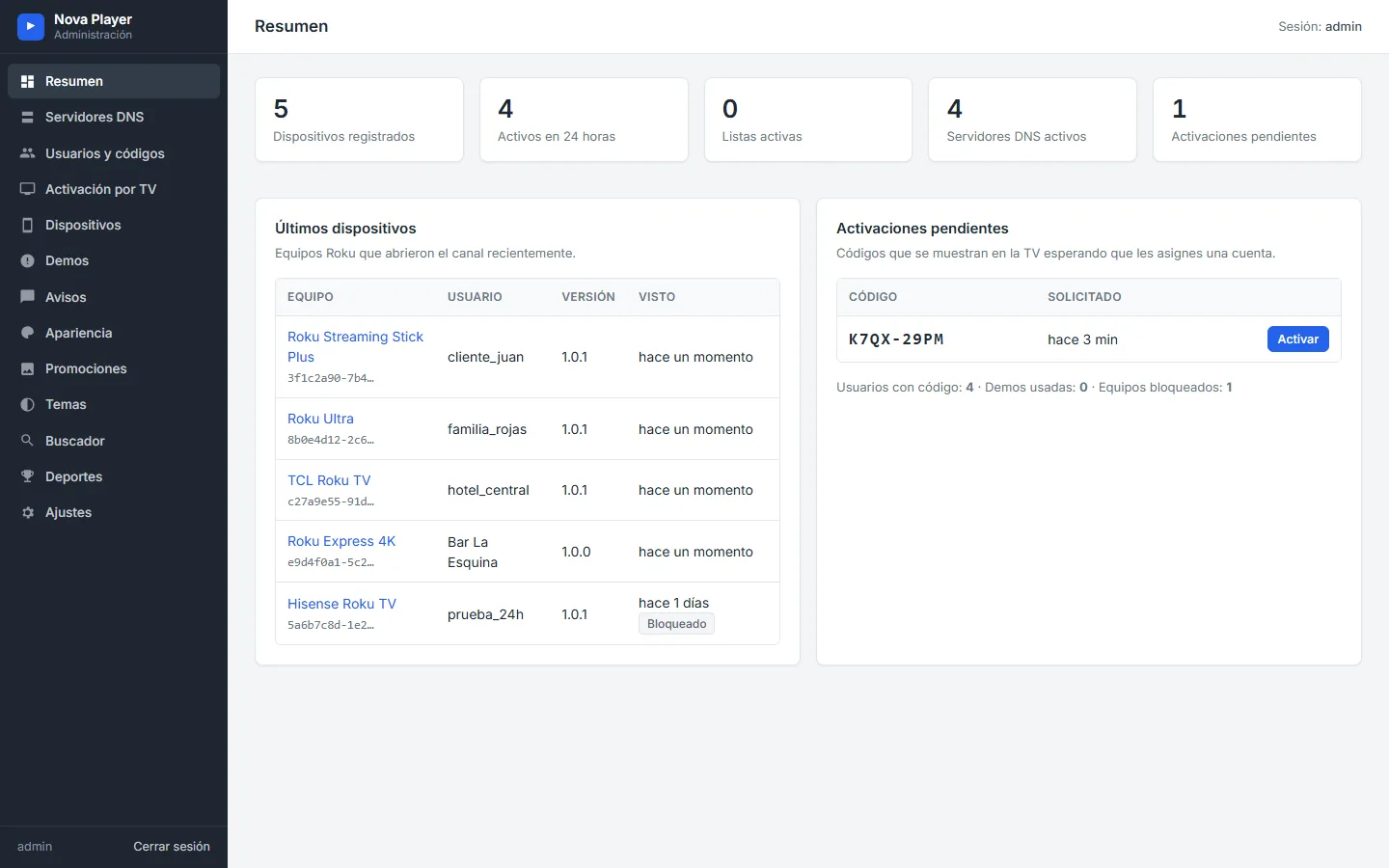
Every SMARTERS PREMIUM - ROKU channel comes with its own admin panel. It is a PHP and SQLite web panel that installs on any hosting, and it is where you run the service: the channel reads its configuration from the panel, and your customers never see it. Here is a tour, page by page. The screenshots use demo data.
Dashboard
The dashboard shows registered devices, devices active in the last 24 hours, active lists, active servers and pending activations, followed by the last devices that opened the channel and the activation codes waiting to be assigned.
Servers and Stalker portals
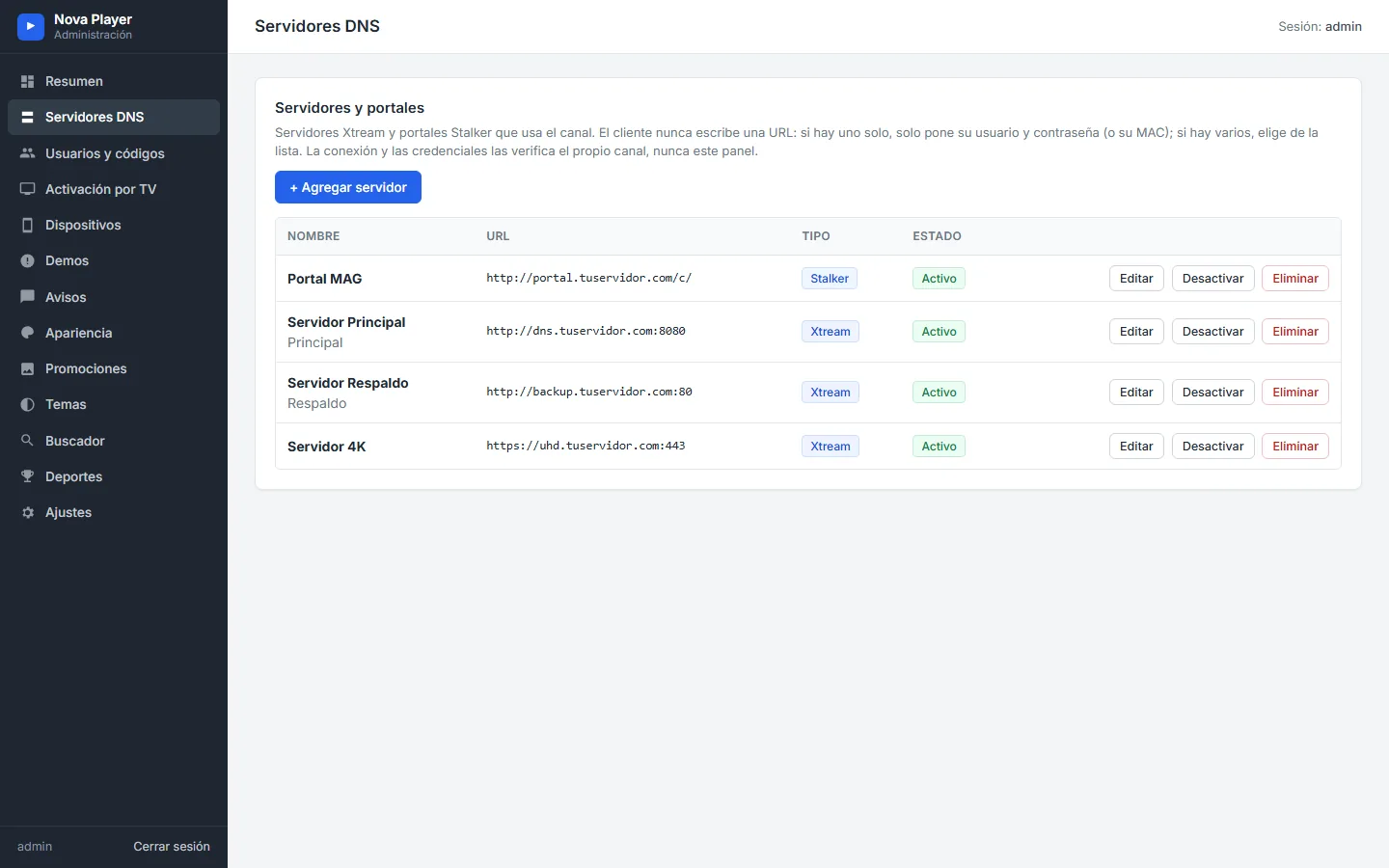
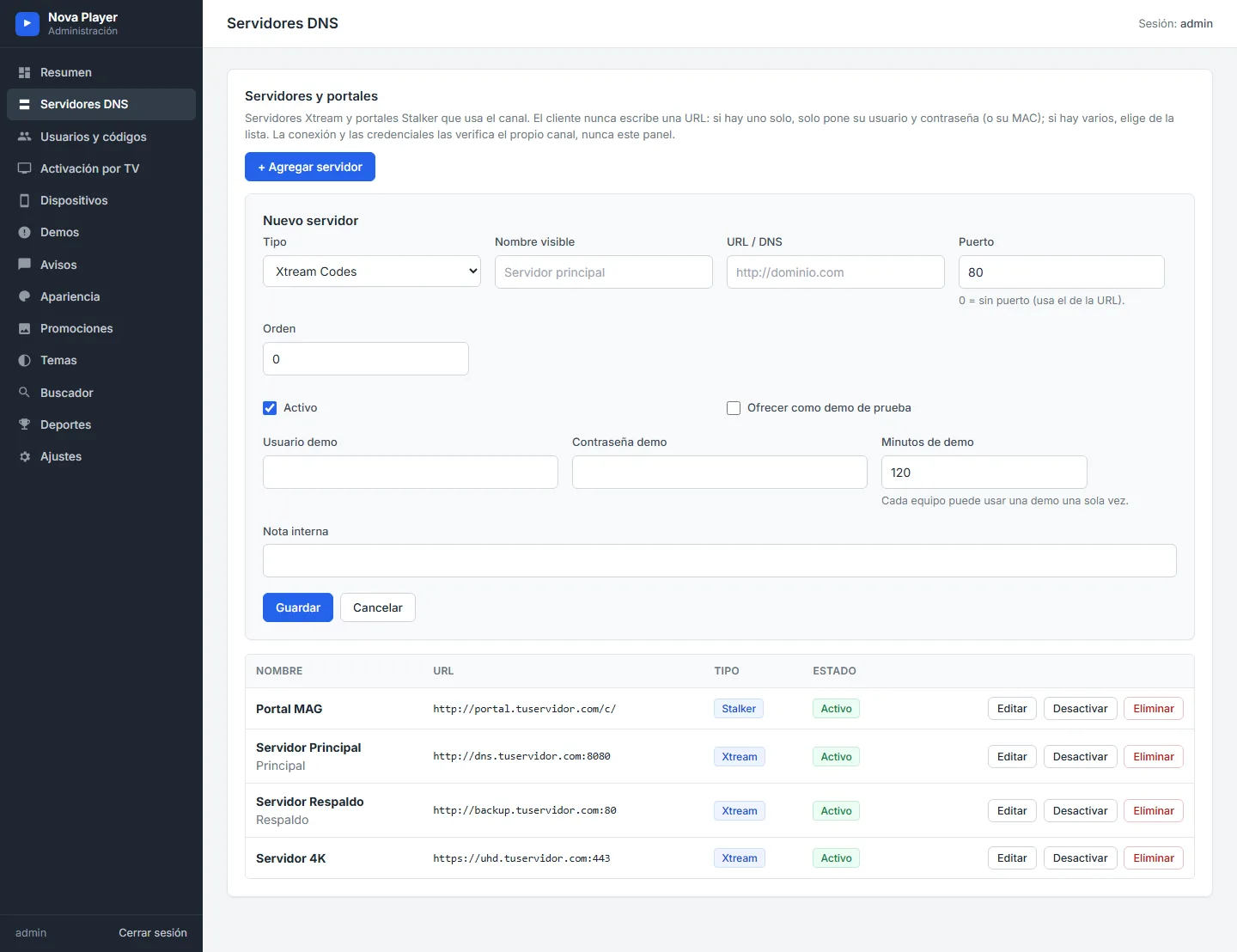
The Servers page holds your Xtream servers (DNS) and Stalker portals. Customers never type an address: they pick from this list. Each entry has a type, a display name, the URL, the port, the order and an optional free trial with its duration.
Users and access codes
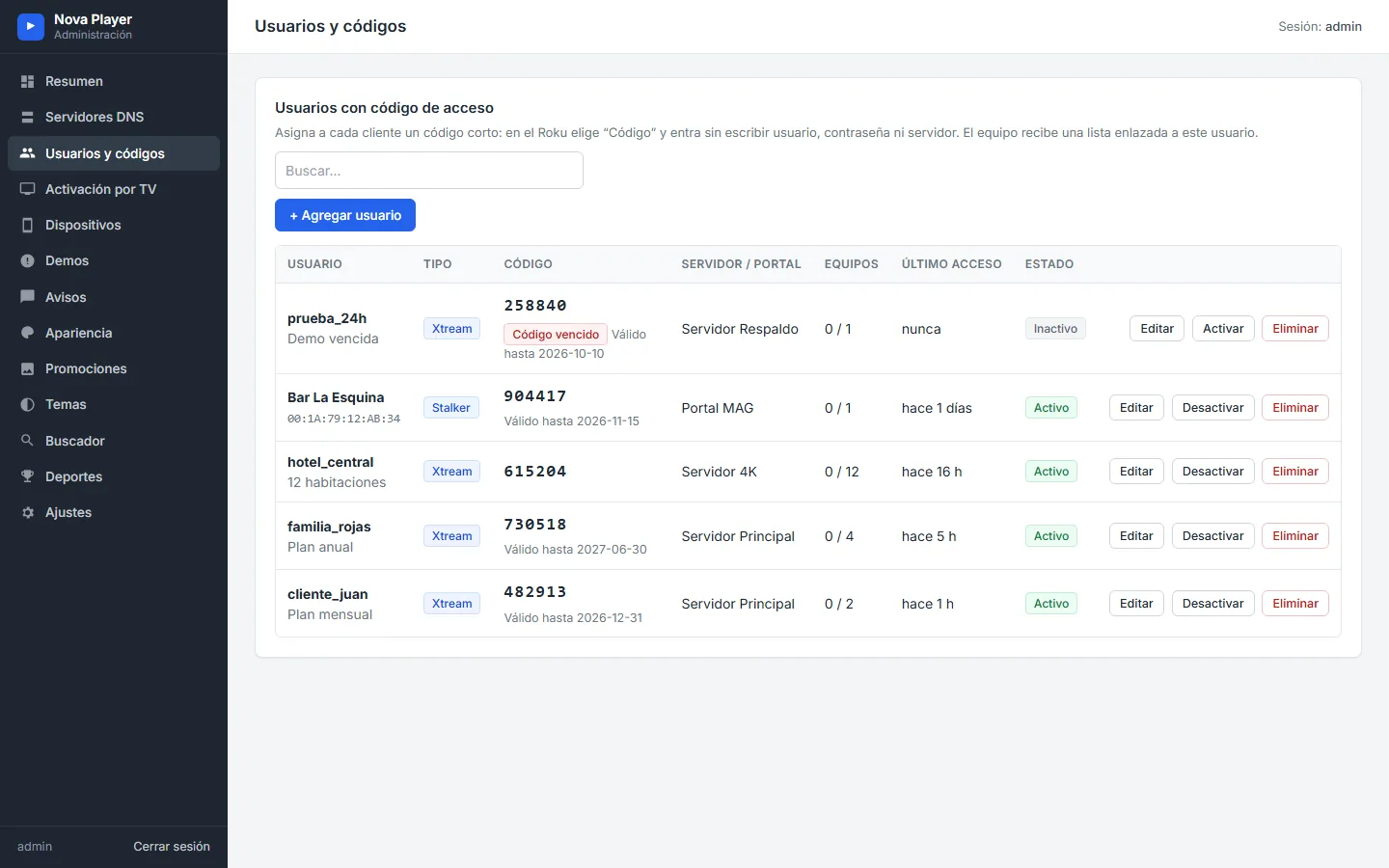
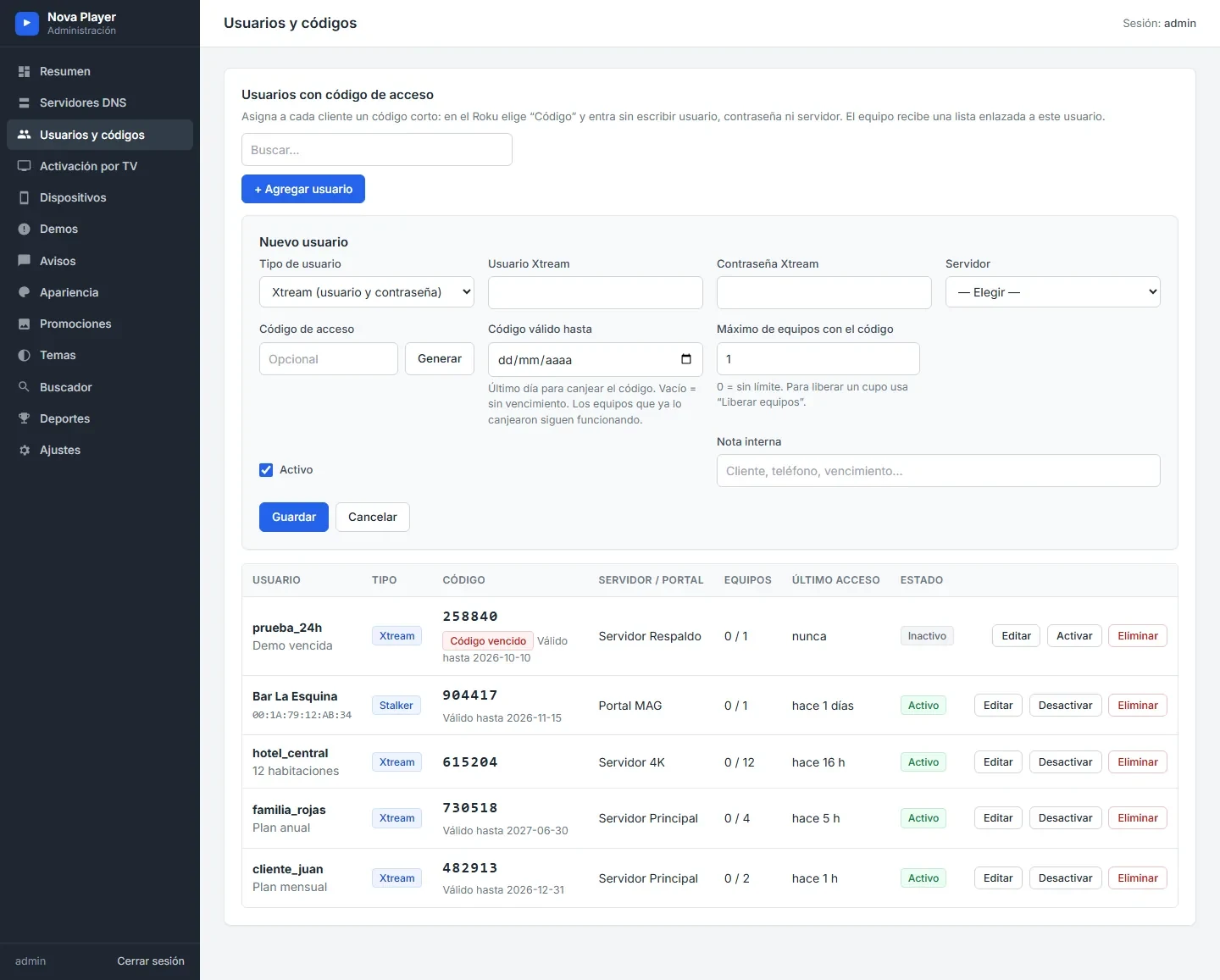
Create a user with an Xtream or Stalker account and the panel generates a short access code. Each user has an expiry date, a maximum number of devices, the server, the last access and the status. Codes can be paused, edited or deleted.
Activation on TV
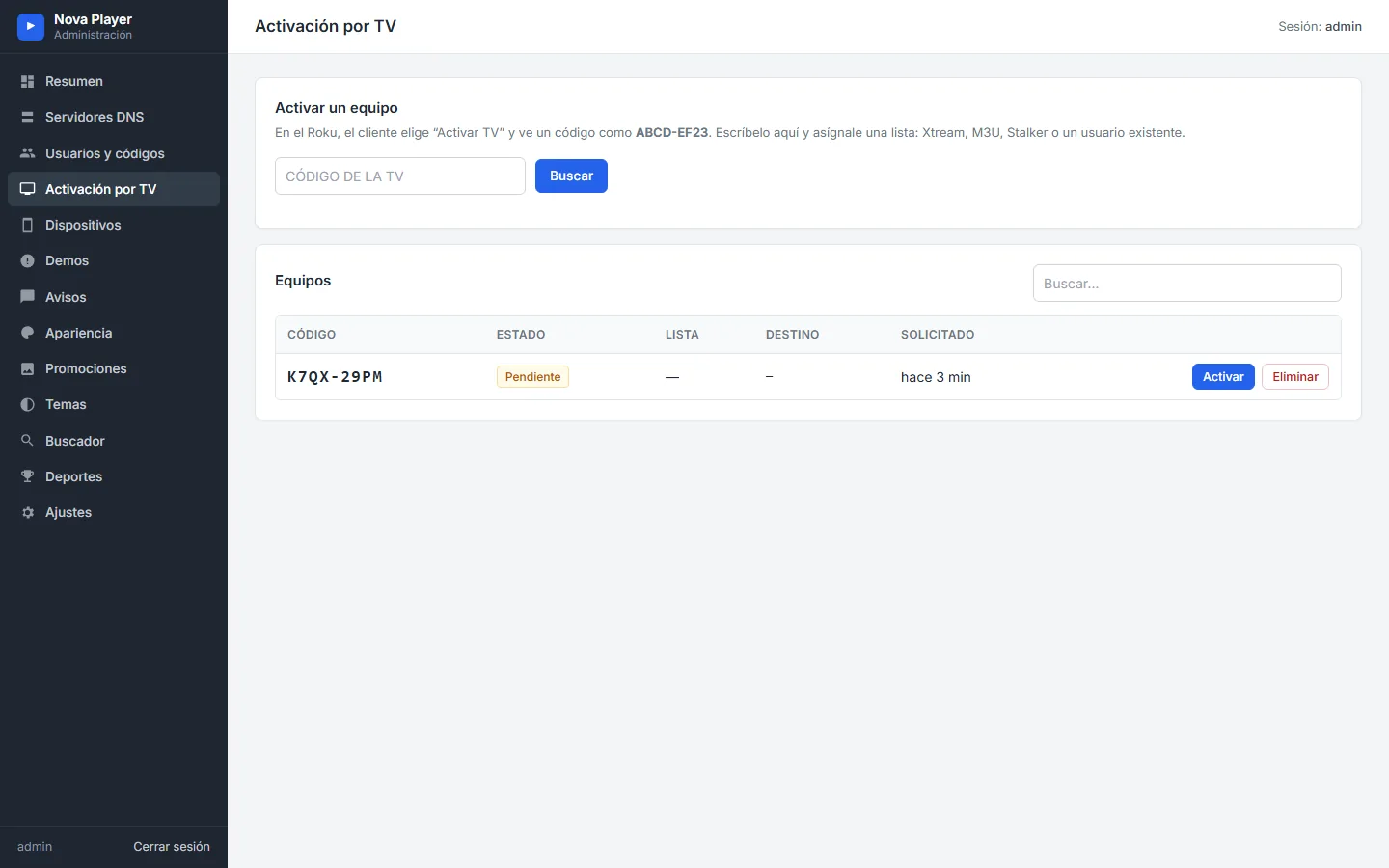
When a customer chooses Activate on TV, the Roku shows a code. You type it here and assign an Xtream list, a Stalker portal, an M3U list or an existing user, and the channel signs in by itself.
Devices
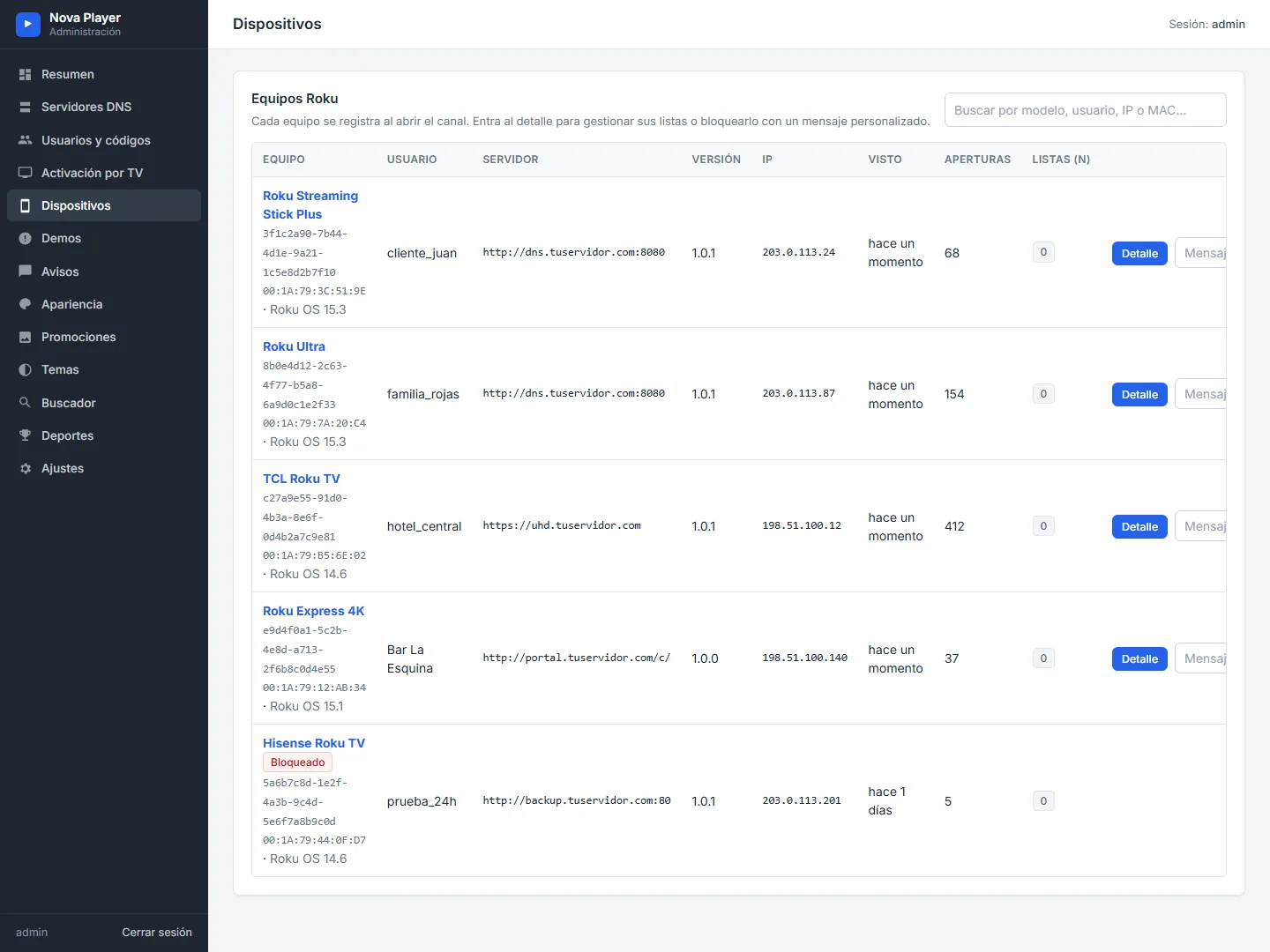
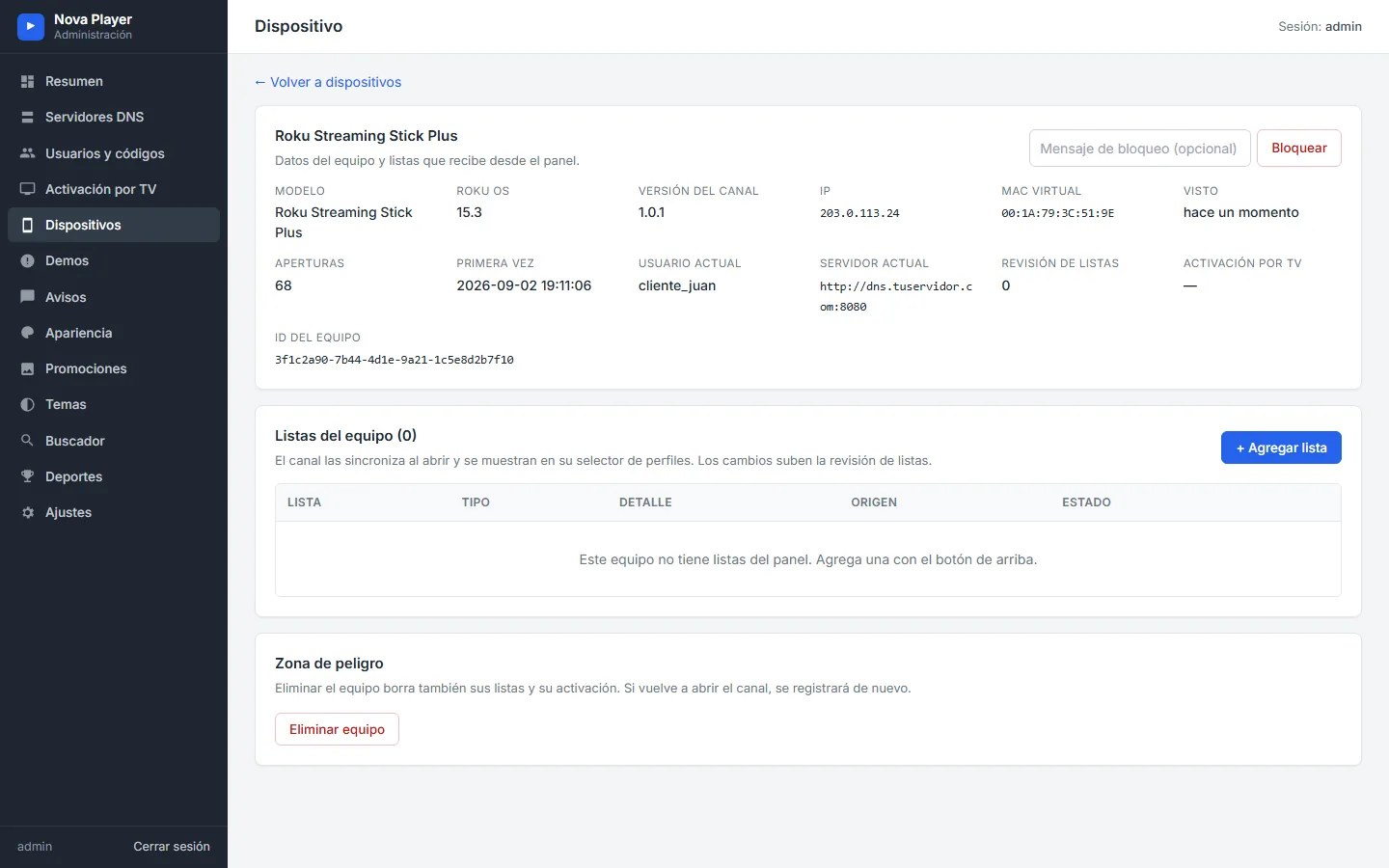
Every Roku that opens the channel registers here with its model, Roku OS, user, server, channel version, IP, last seen and number of launches. The device page shows the virtual MAC and lets you block the device with your own message.
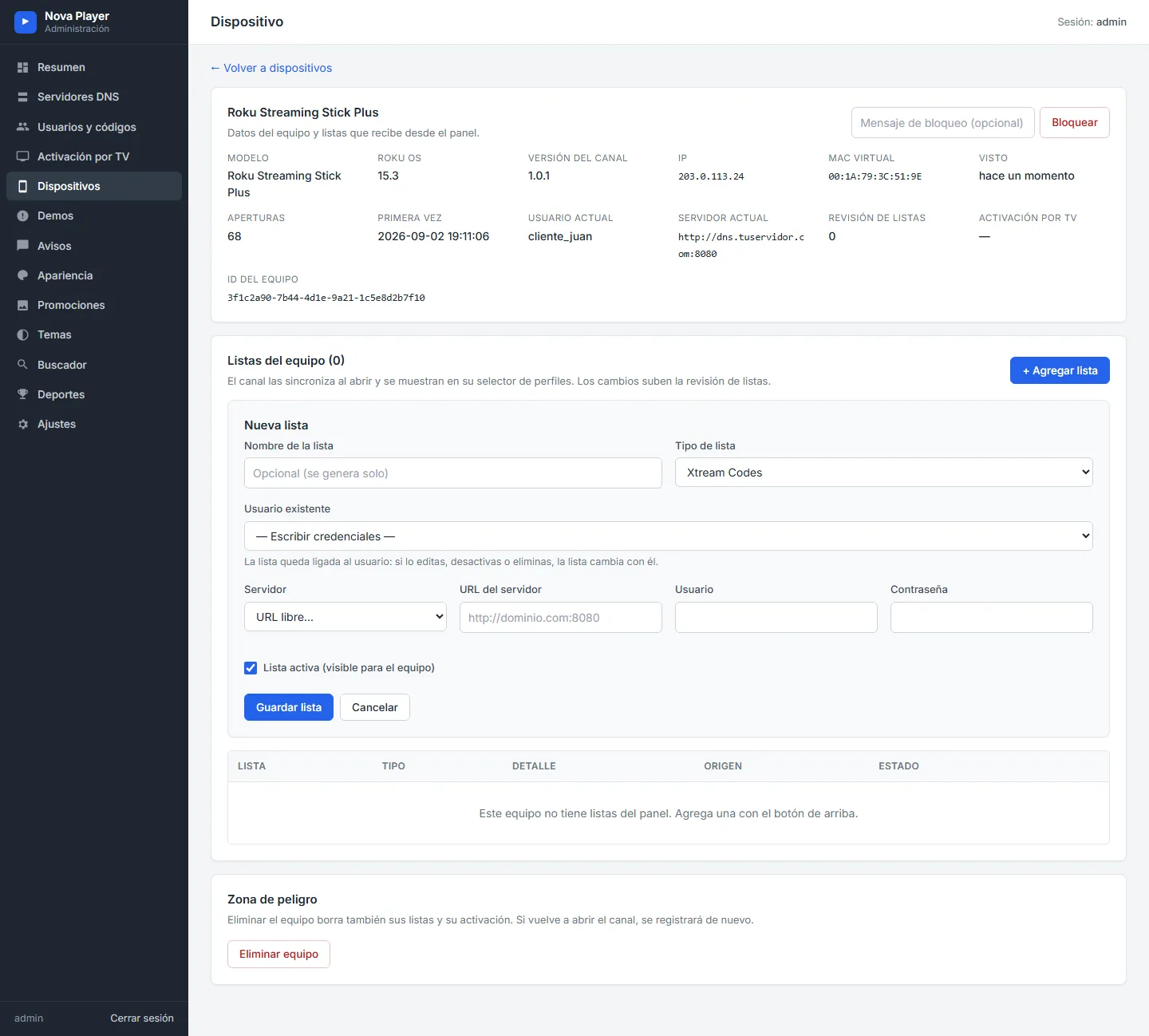
From the same page you can assign lists to that device, Xtream Codes, Stalker or M3U, without touching the TV.
Trials and notices
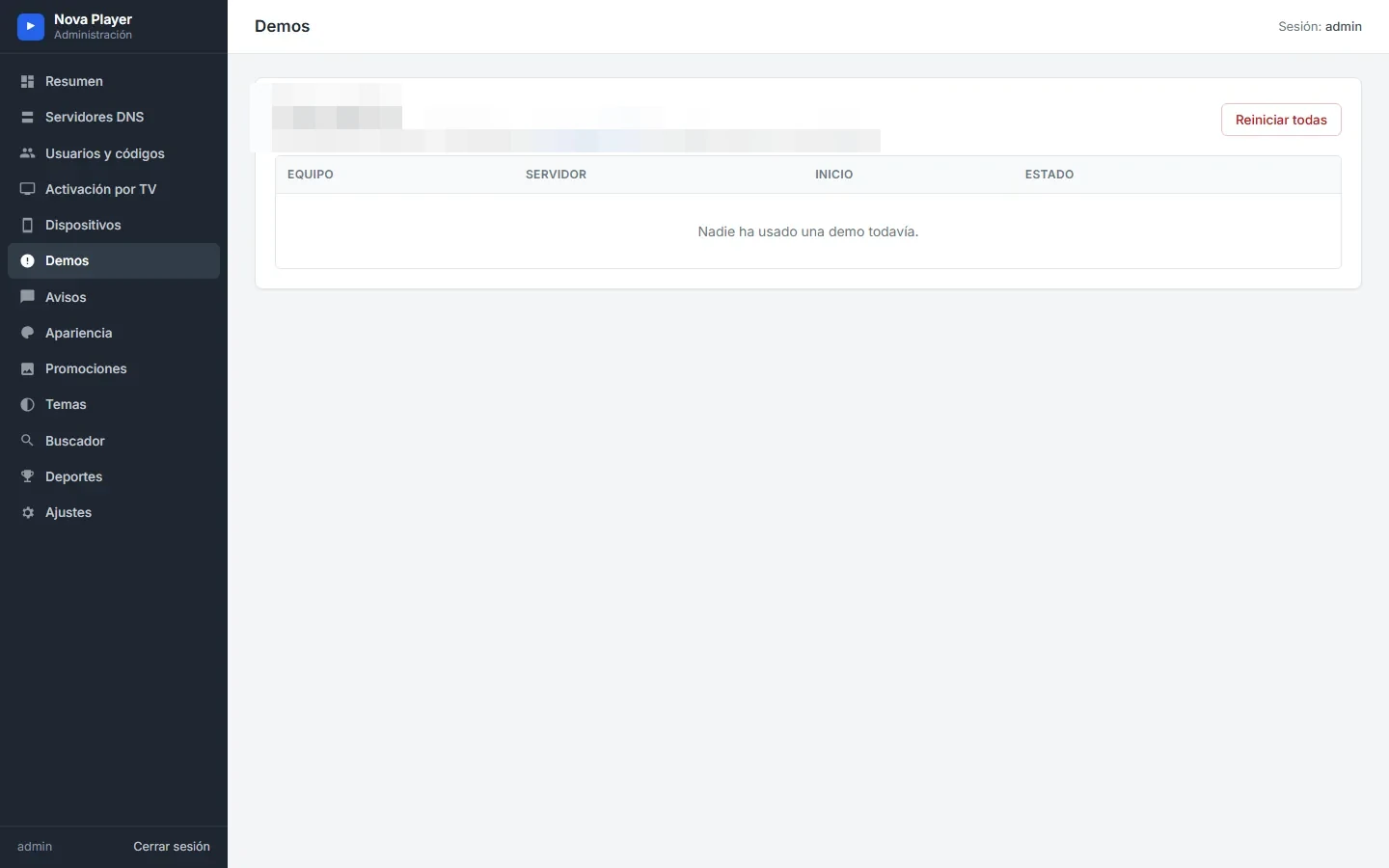
The Trials page shows who used a free trial and lets you reset them. Notices are messages the channel shows once per device when it opens, with a validity window.
Appearance, promotions and themes
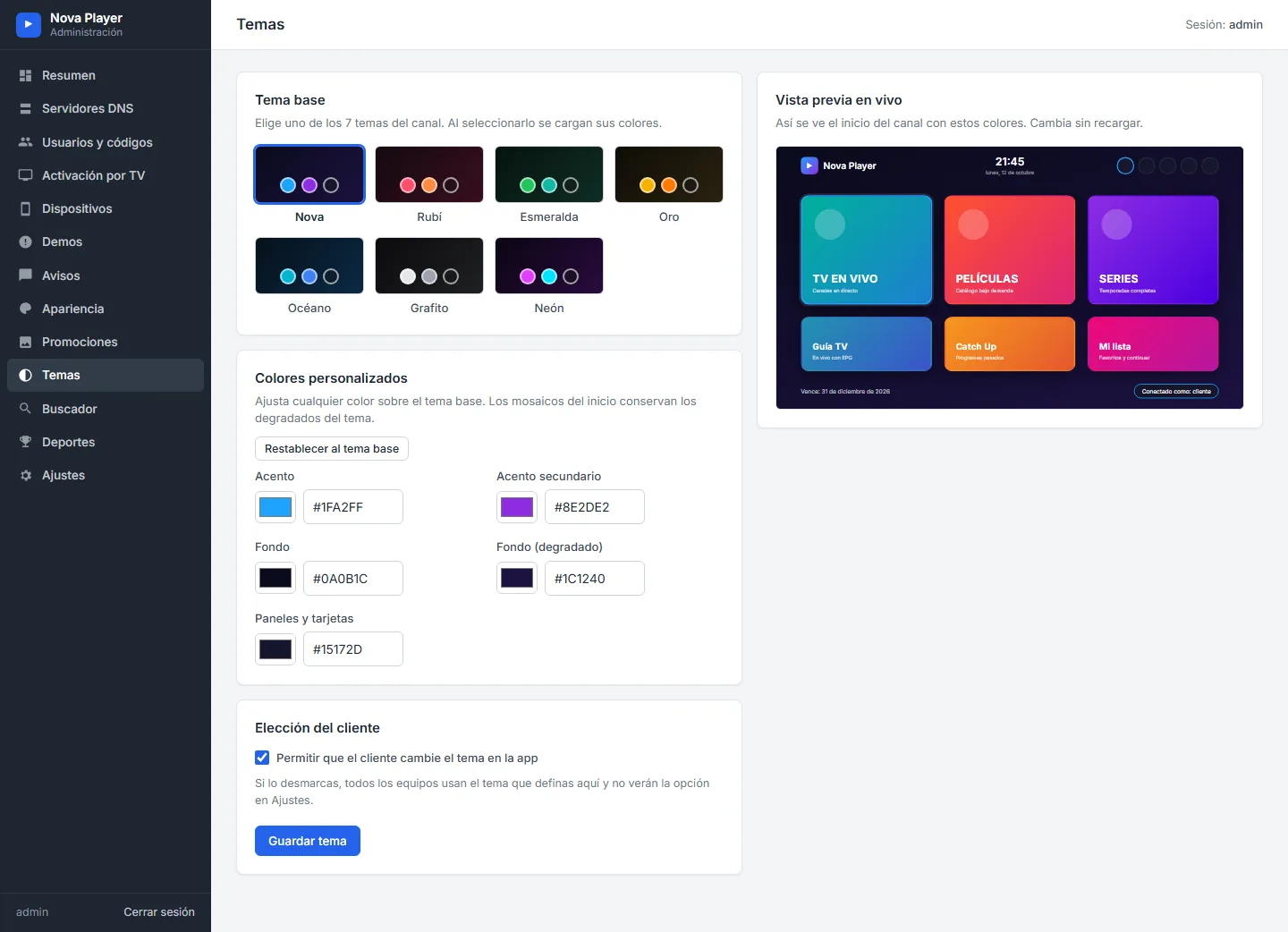
Appearance covers the app name and logo, the sign-in screen, the nine home layouts, backgrounds, featured titles and the seven tiles in three languages. Promotions holds the home banners and Themes the colors. These pages are covered in detail in our design guide.
Sports and settings
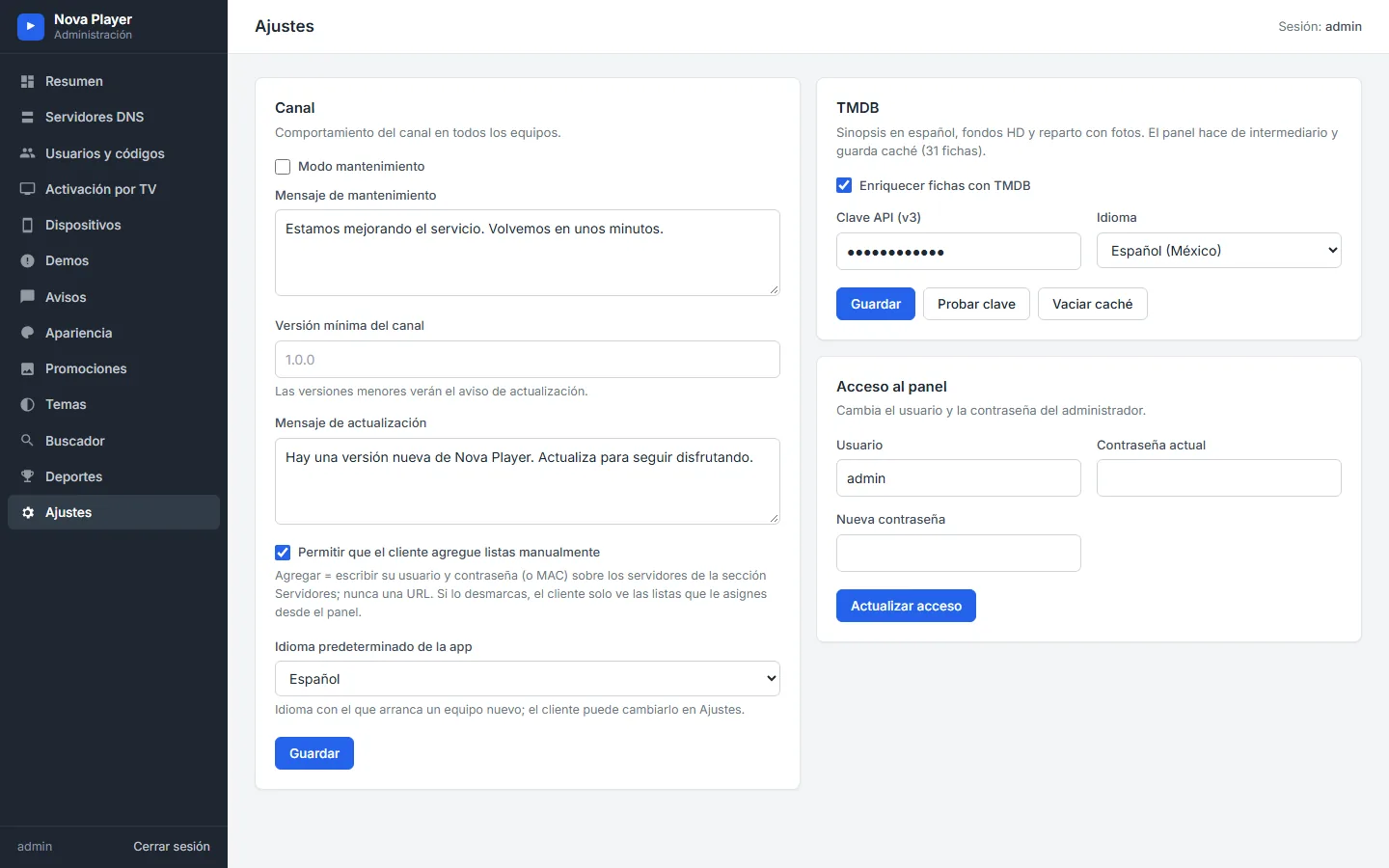
The Sports page sets the leagues for the Sports section (see our sports guide). Settings holds maintenance mode, the minimum channel version, the update message, whether customers may add lists themselves, the default language, the TMDB key and the admin login.
Maintenance, updates and blocking
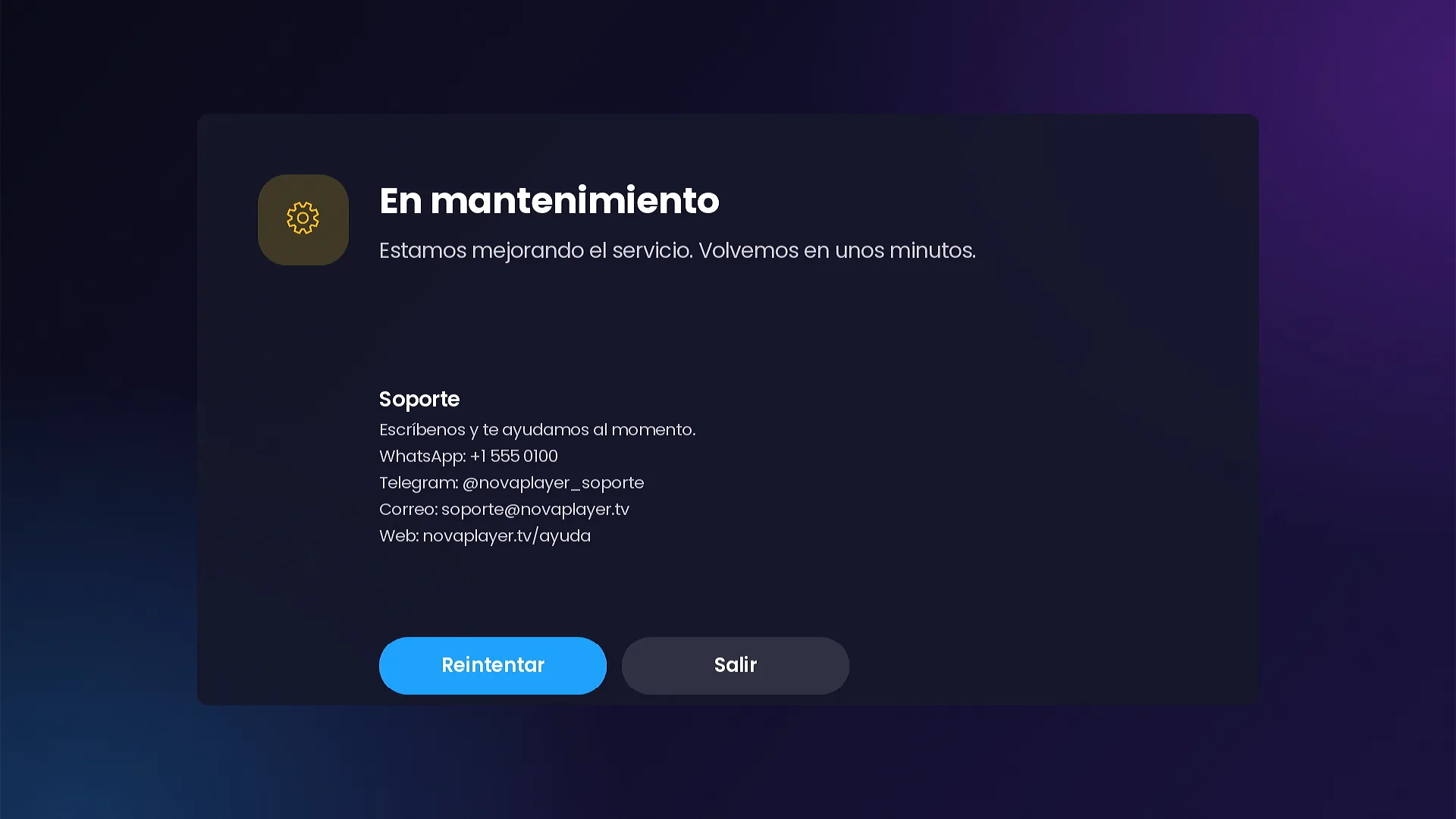
- Maintenance mode shows your message on every device until you turn it off.
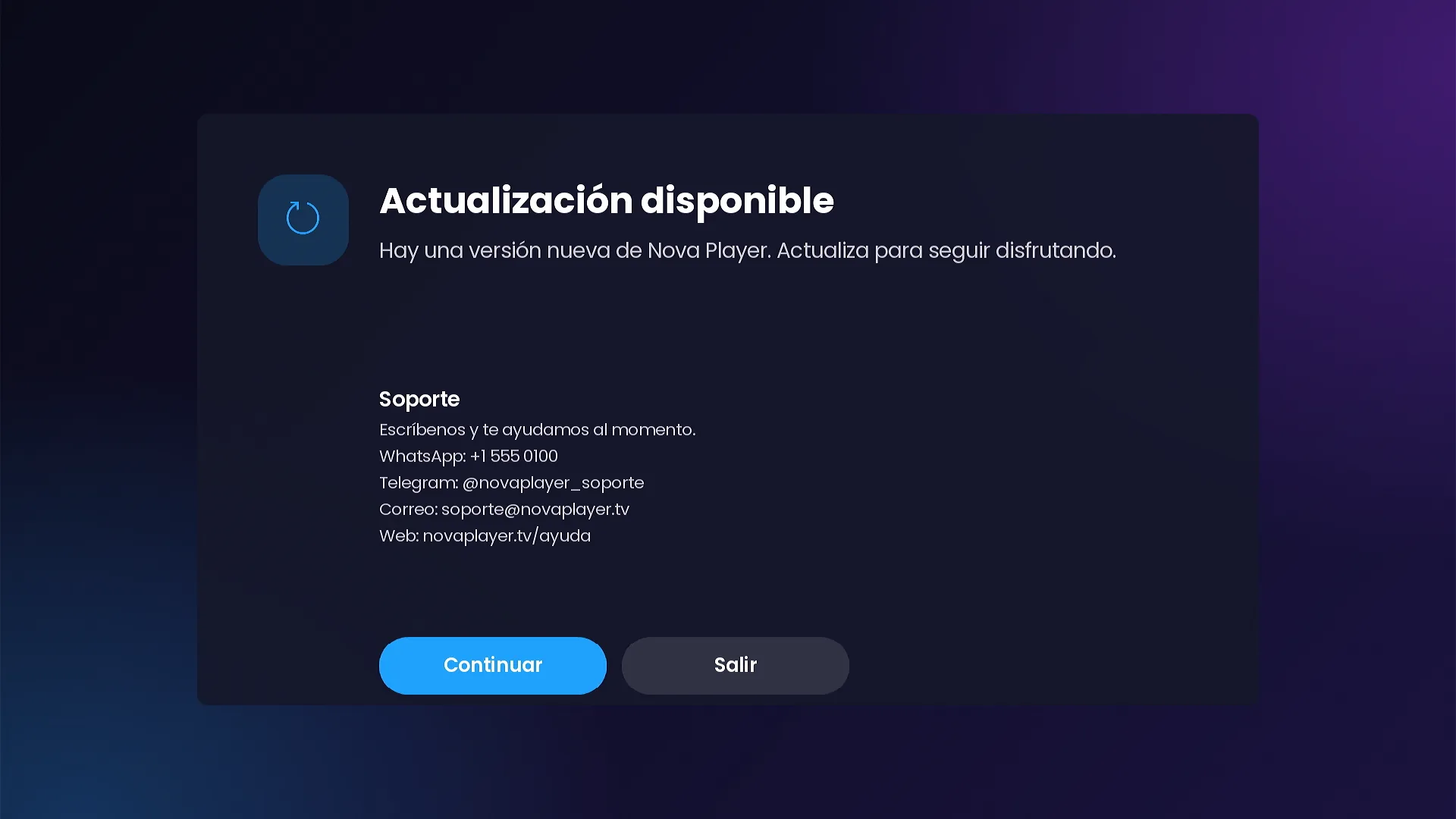
- Update available appears on devices with a version older than the minimum you set, with Continue and Exit buttons.
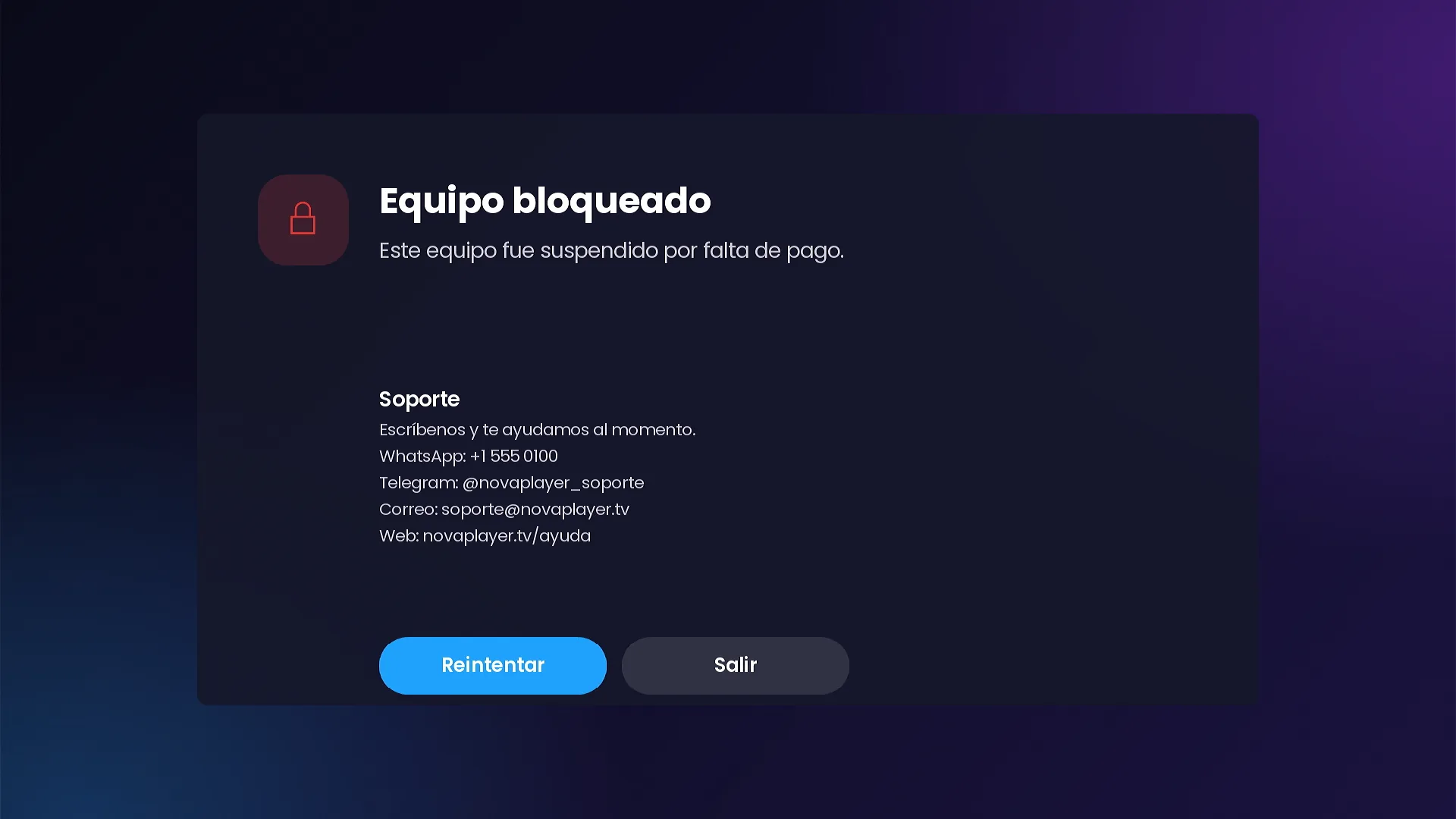
- Device blocked stops a single device, with your own message.
Each screen shows your support details (WhatsApp, Telegram, email and website), so customers know how to reach you. The demo uses sample contacts.
Frequently asked questions
Where is the admin panel installed?
On any hosting with PHP 7.4 or newer and SQLite. It is yours, on your domain or hosting.
Does the panel connect to my IPTV servers?
No. The panel only stores and hands the channel the configuration you define; the Roku connects to your servers directly.
Can I block one customer without affecting the rest?
Yes. Blocking works per device, with your own message, from the device page.
Related guides
SMARTERS PREMIUM - ROKU (Xtream & Stalker Portal) is available at a $200 launch price (regular $350), a one-time payment with no monthly app fees. It is published on Roku with your brand and comes with your own admin panel. See every video and screenshot on the full page or view it in the catalog.