Xtream Codes, Stalker Portal, access codes and Activate on TV: every way to sign in on a Roku channel
How customers sign in to SMARTERS PREMIUM - ROKU: Xtream Codes, Stalker Portal with the device MAC, short access codes, Activate on TV and free trials, all driven by your panel.
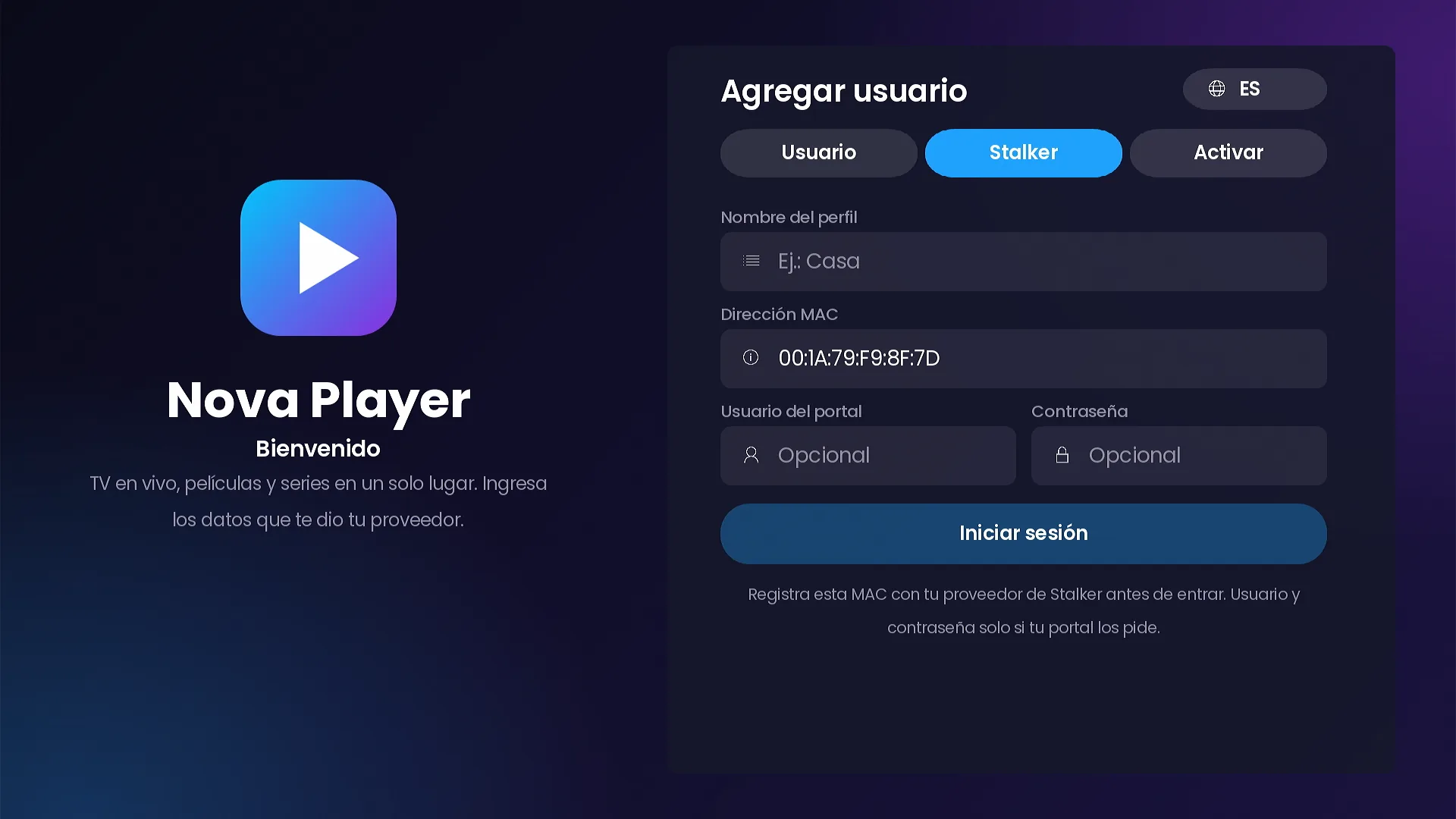
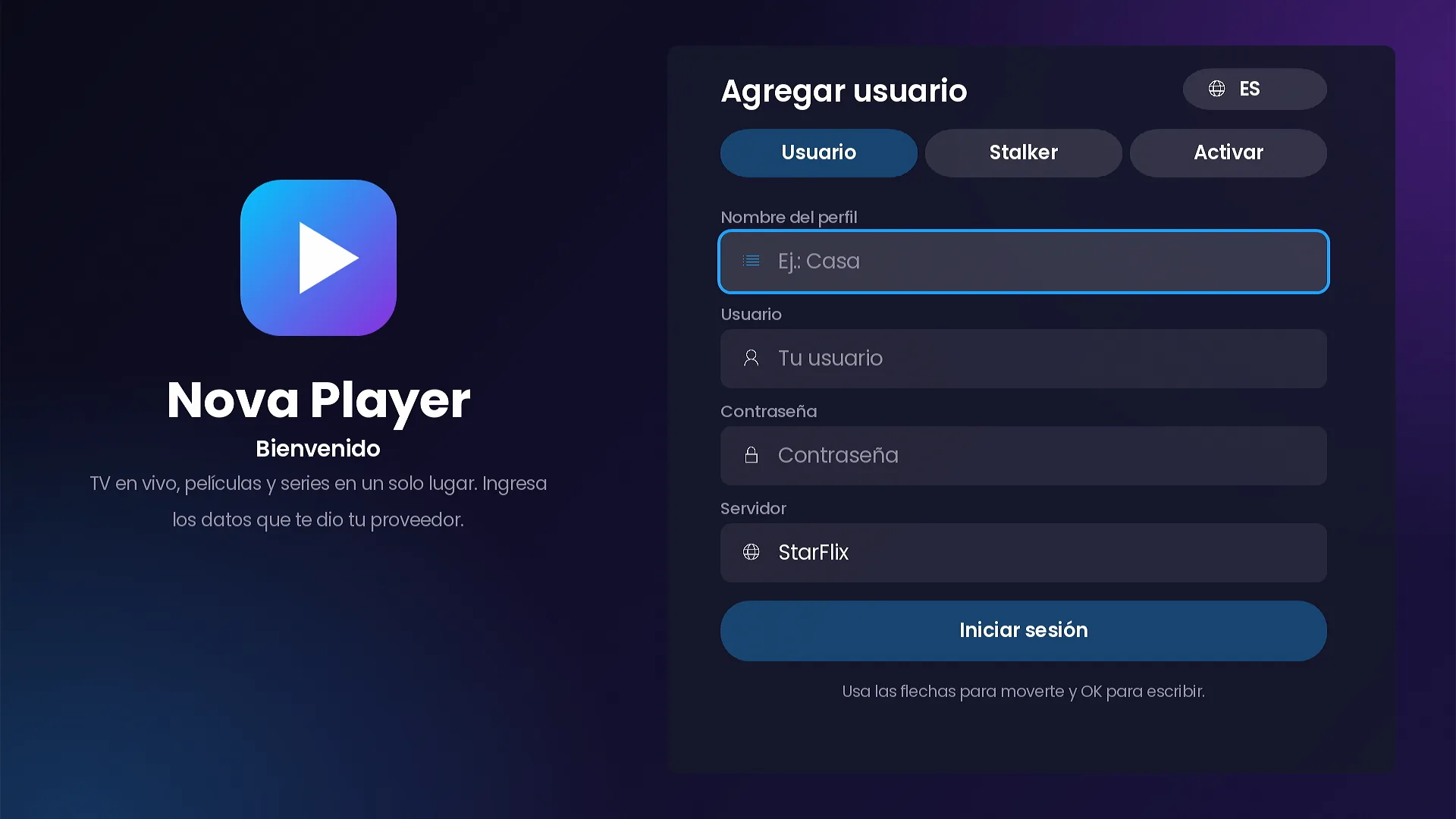
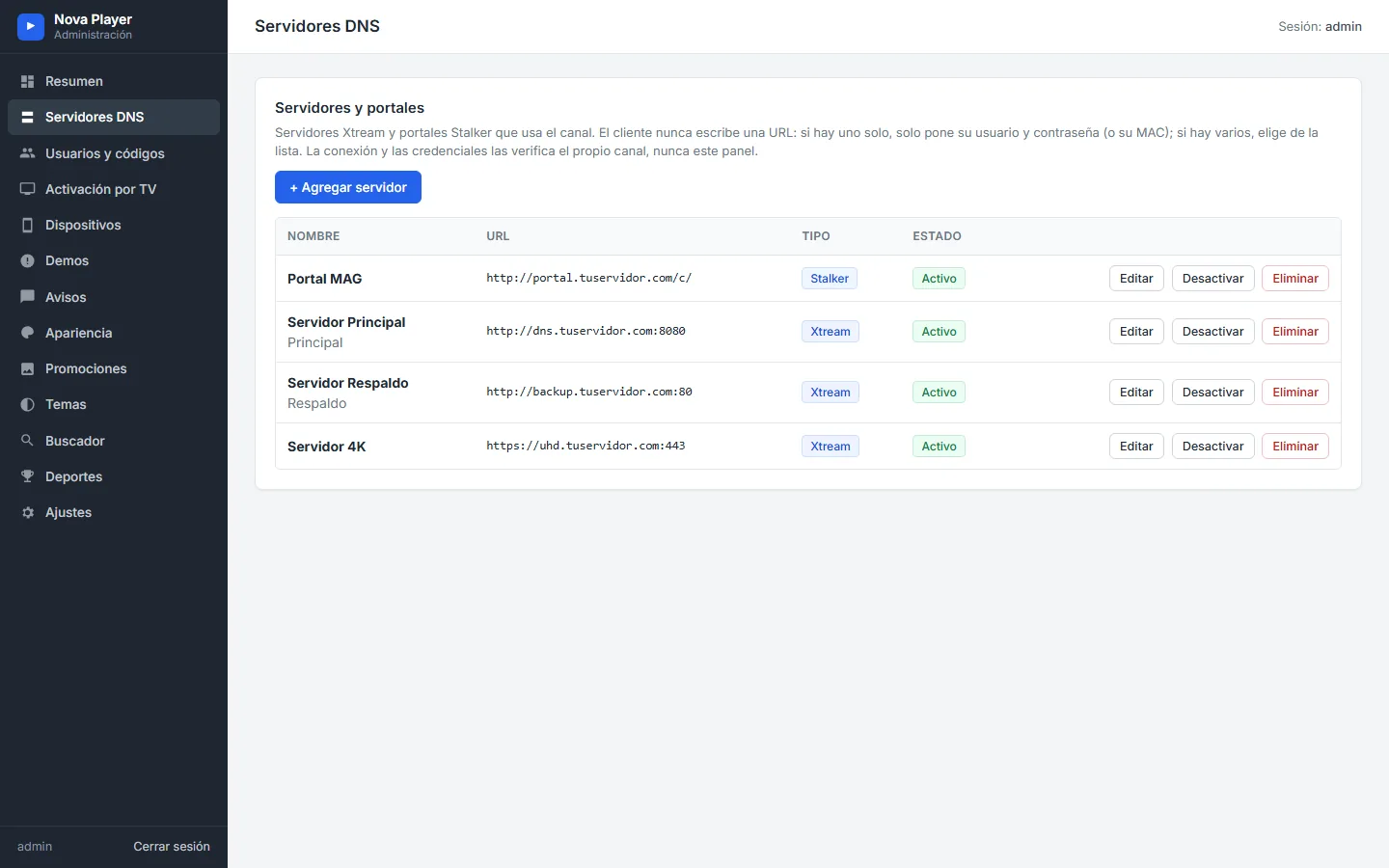
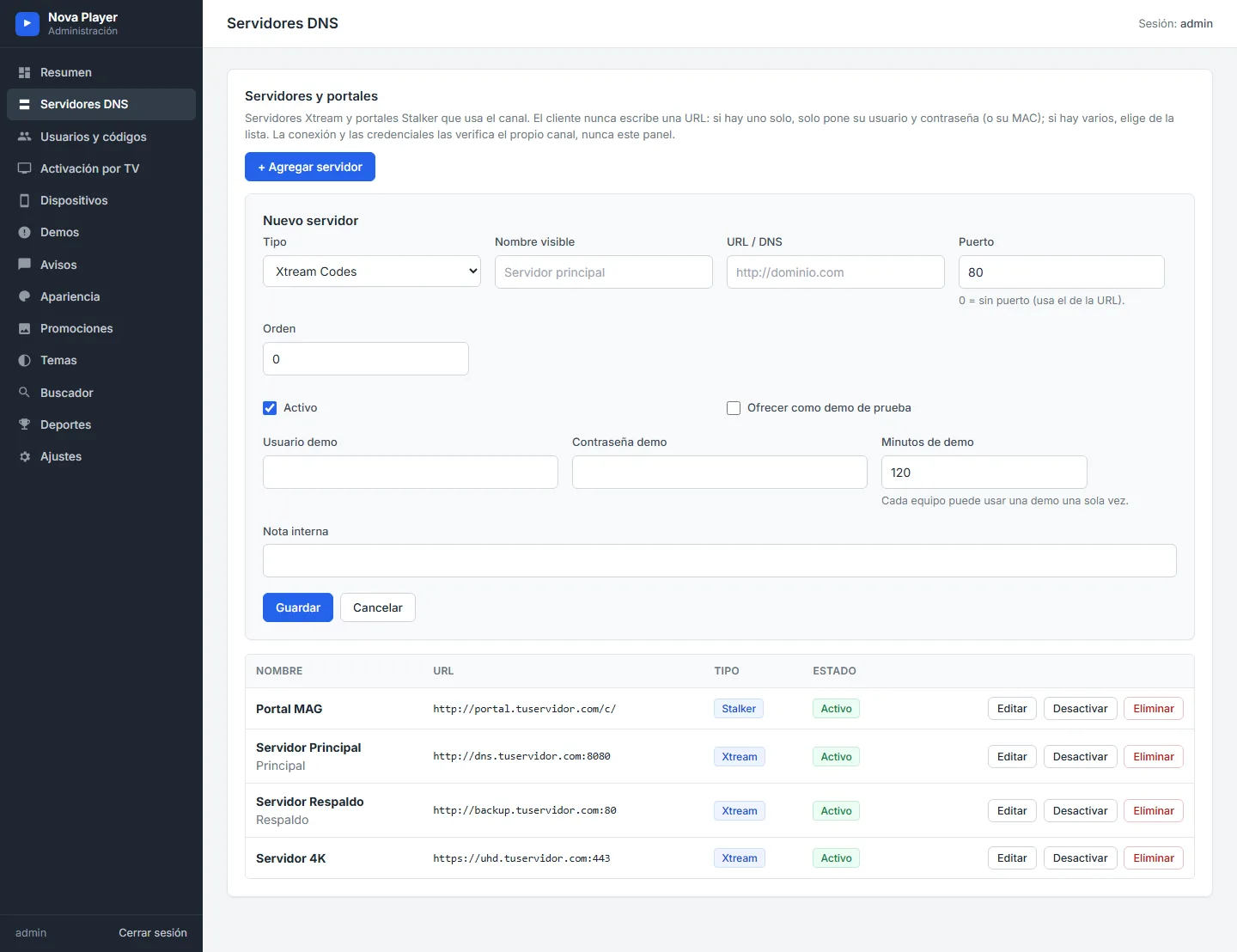
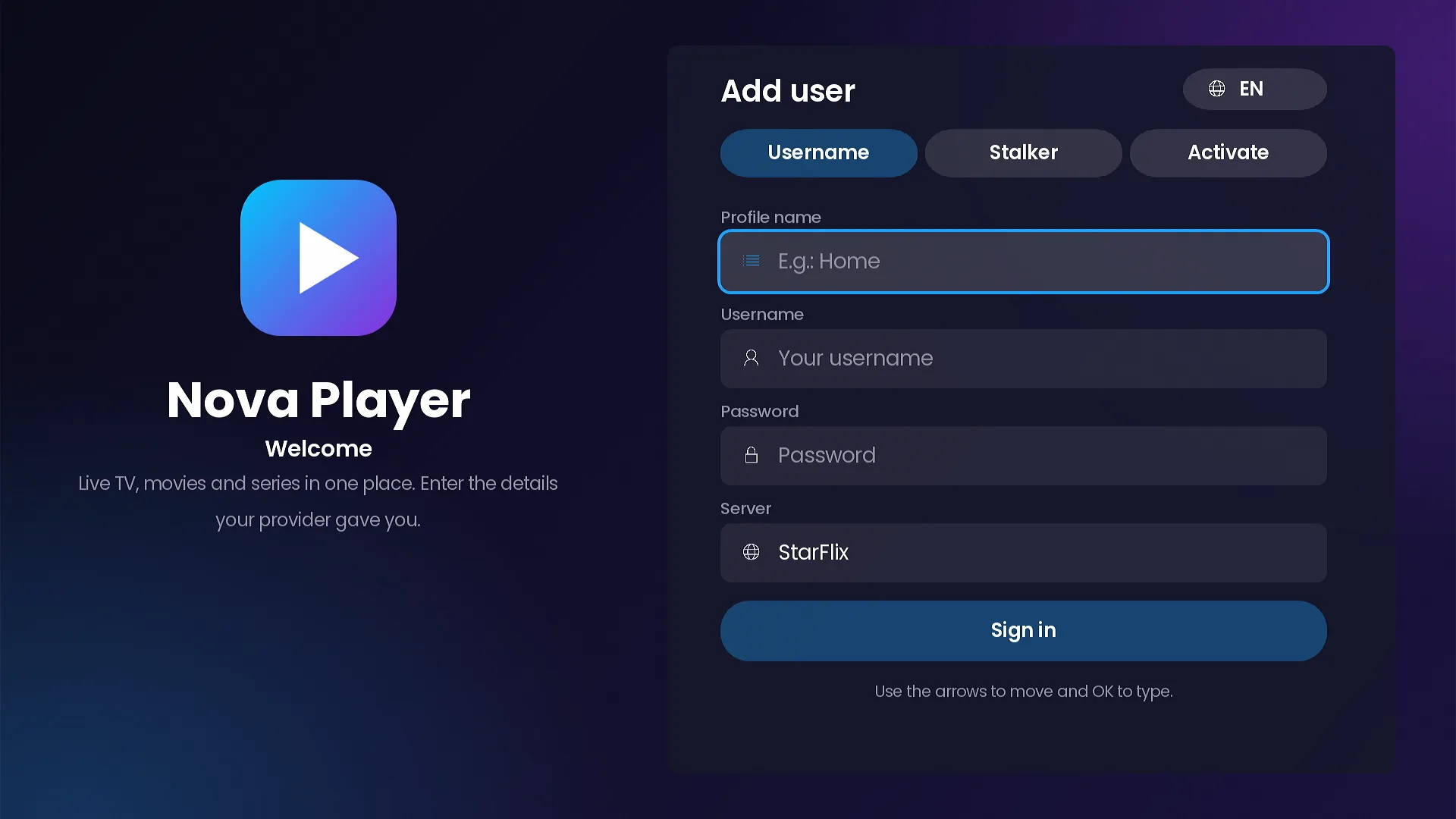
The first screen your customer sees decides how many support messages you get. Typing a long server address with a TV remote is slow, and one wrong character means a failed login. SMARTERS PREMIUM - ROKU removes that step completely: the channel has no URL fields. Customers pick from the servers you load in your panel, and the sign-in tabs appear automatically based on what you configured.
Xtream Codes: username, password and your server list
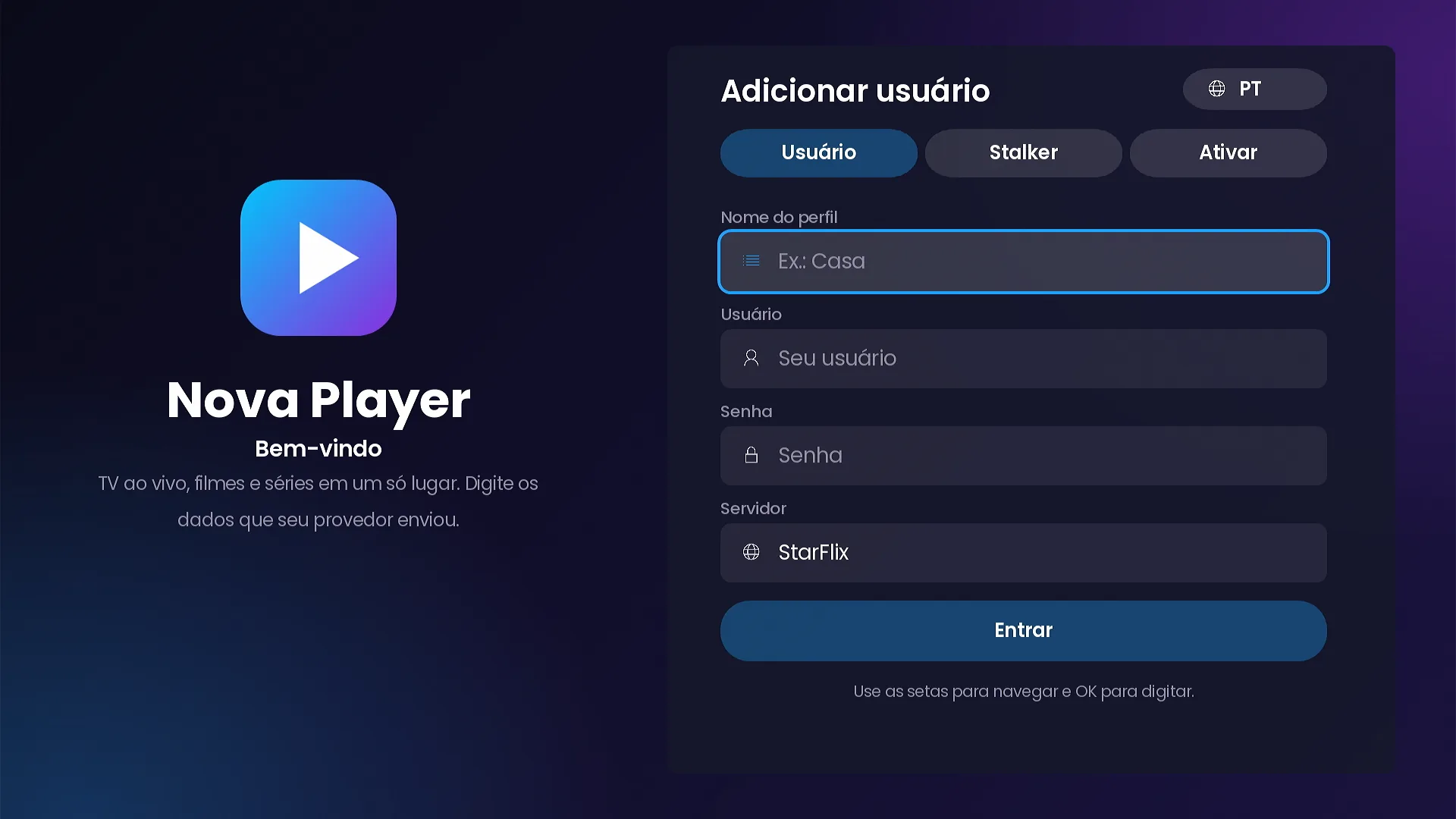
The Username tab is the classic Xtream Codes login. The customer types a profile name, their username and password, and picks a server from your list. If you only have one server, the picker disappears and they only type username and password.
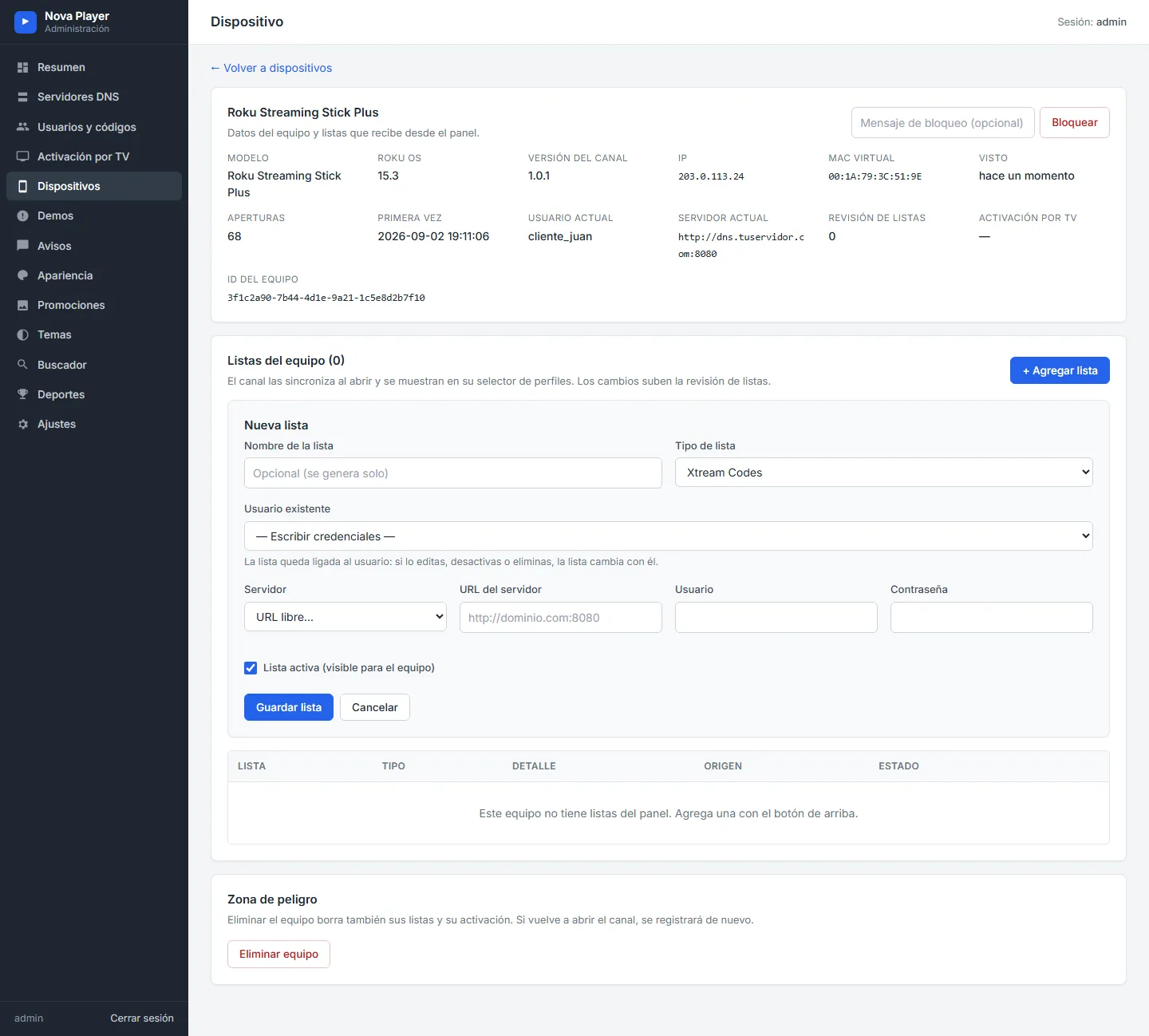
The server list comes from the Servers page of your panel, in the order you set. When you add a new DNS there, it shows up in the list the next time the channel opens. Lists you assign to a device from the panel go further: when you edit them, the channel updates them by itself.
Stalker Portal with the device MAC
The Stalker tab is for Stalker Portal (Ministra) services. The channel shows the device MAC already filled in, in the familiar 00:1A:79 format, so the customer has nothing to type except a profile name. You register that MAC on your portal and the customer signs in.
Some portals also ask for a username and password. Those fields are there, marked optional, and are only needed when your portal requires them. If you run several portals, the customer picks one from your list, exactly like the Xtream servers.
Providers with both systems can offer both tabs at once. Each profile remembers its own type, so a household can have an Xtream profile and a Stalker profile on the same Roku.
Short access codes with expiry and device limits
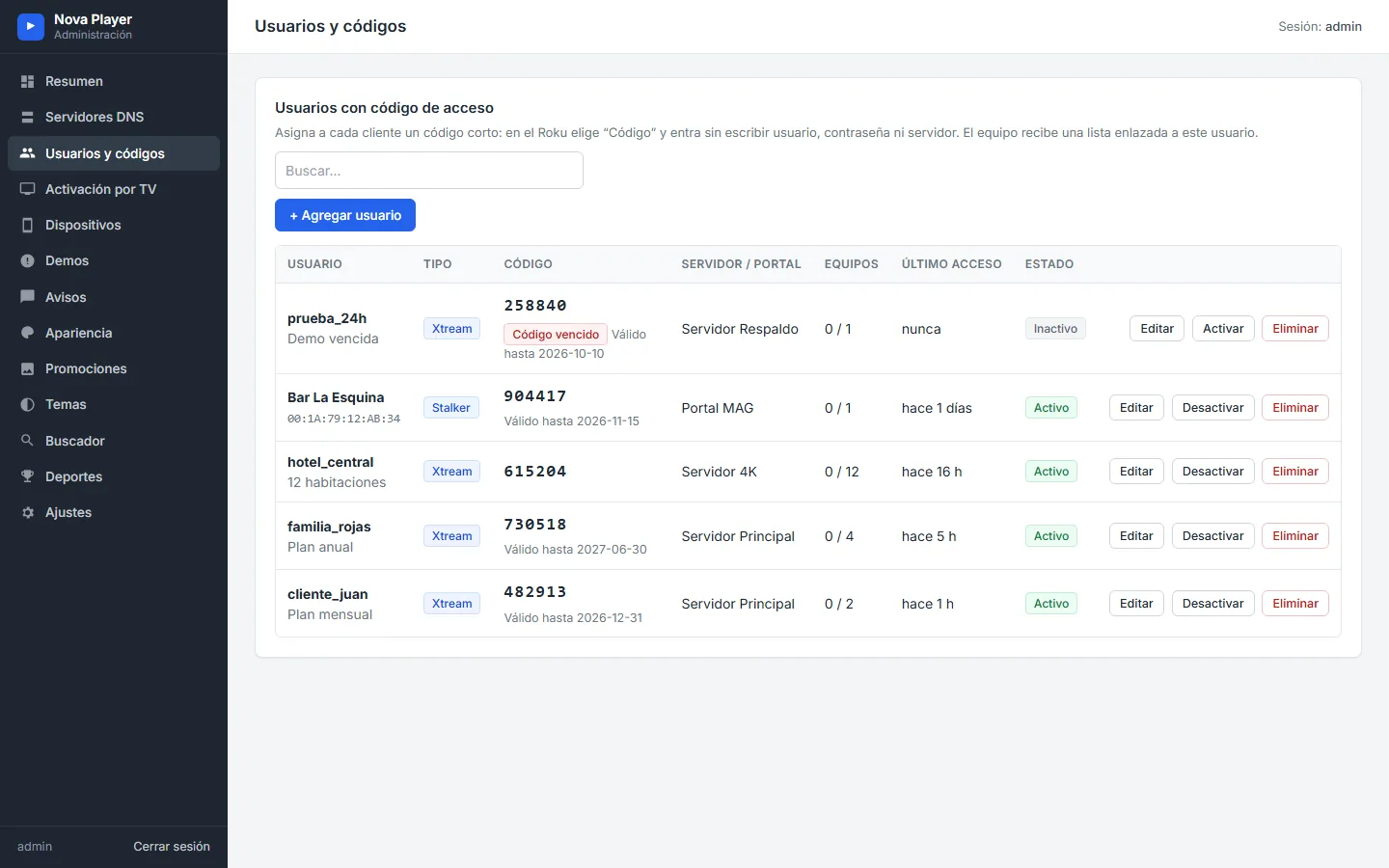
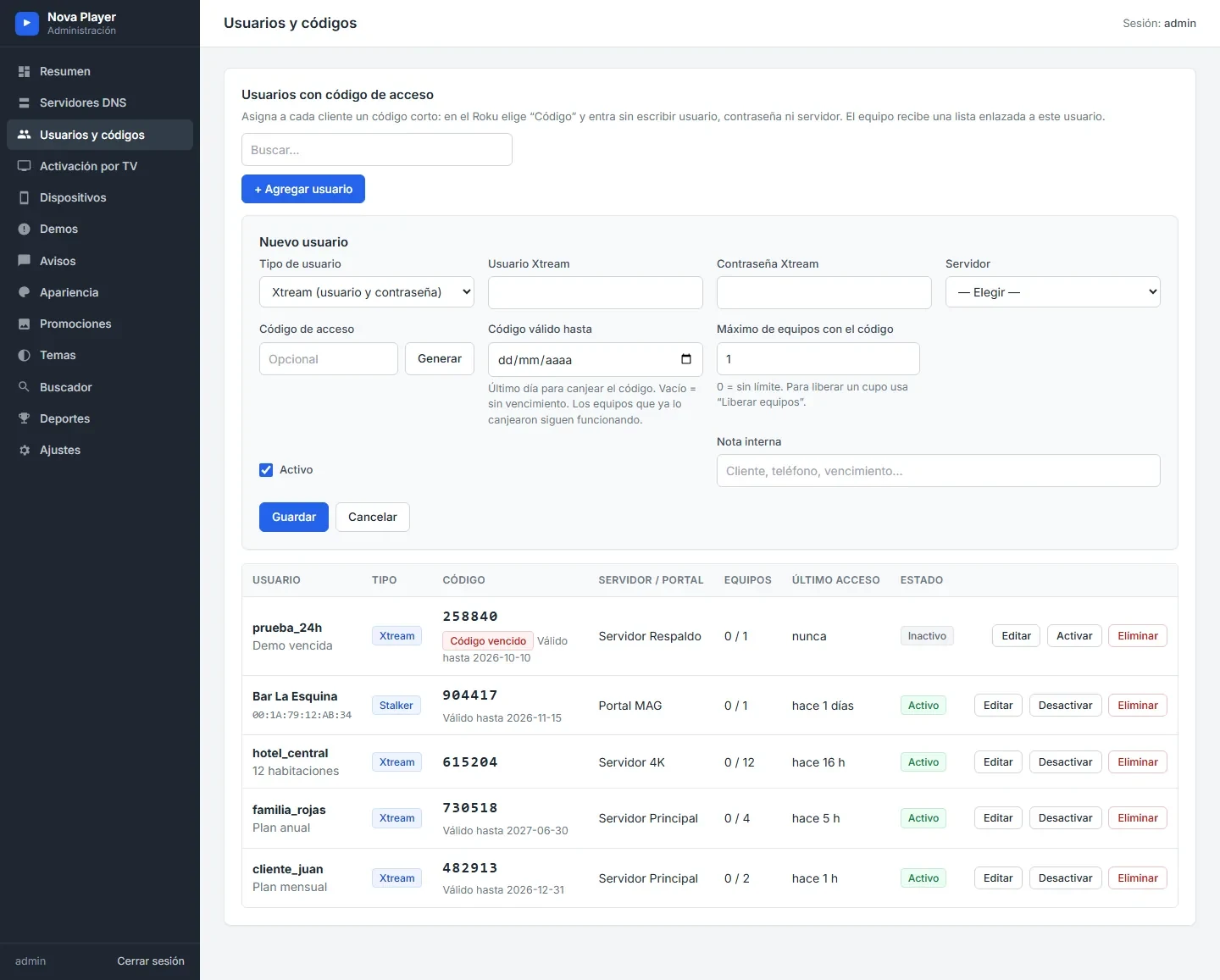
In Users and codes you create a user and the panel generates a short access code. Each code can have an expiry date and a maximum number of devices. On the Roku, the customer chooses the Code tab, types the code and is in, with no username or password.
Activate on TV: the customer types nothing
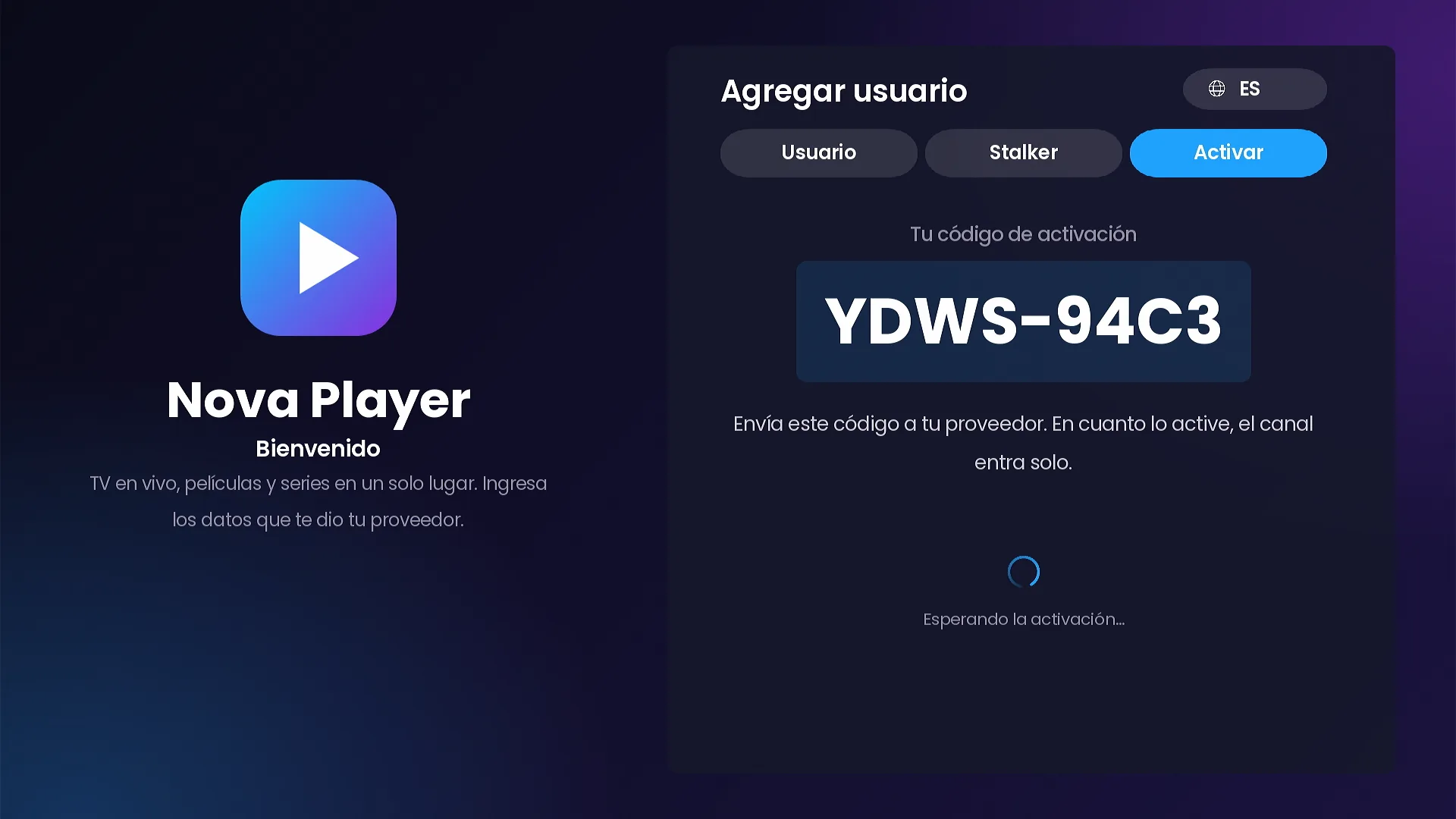
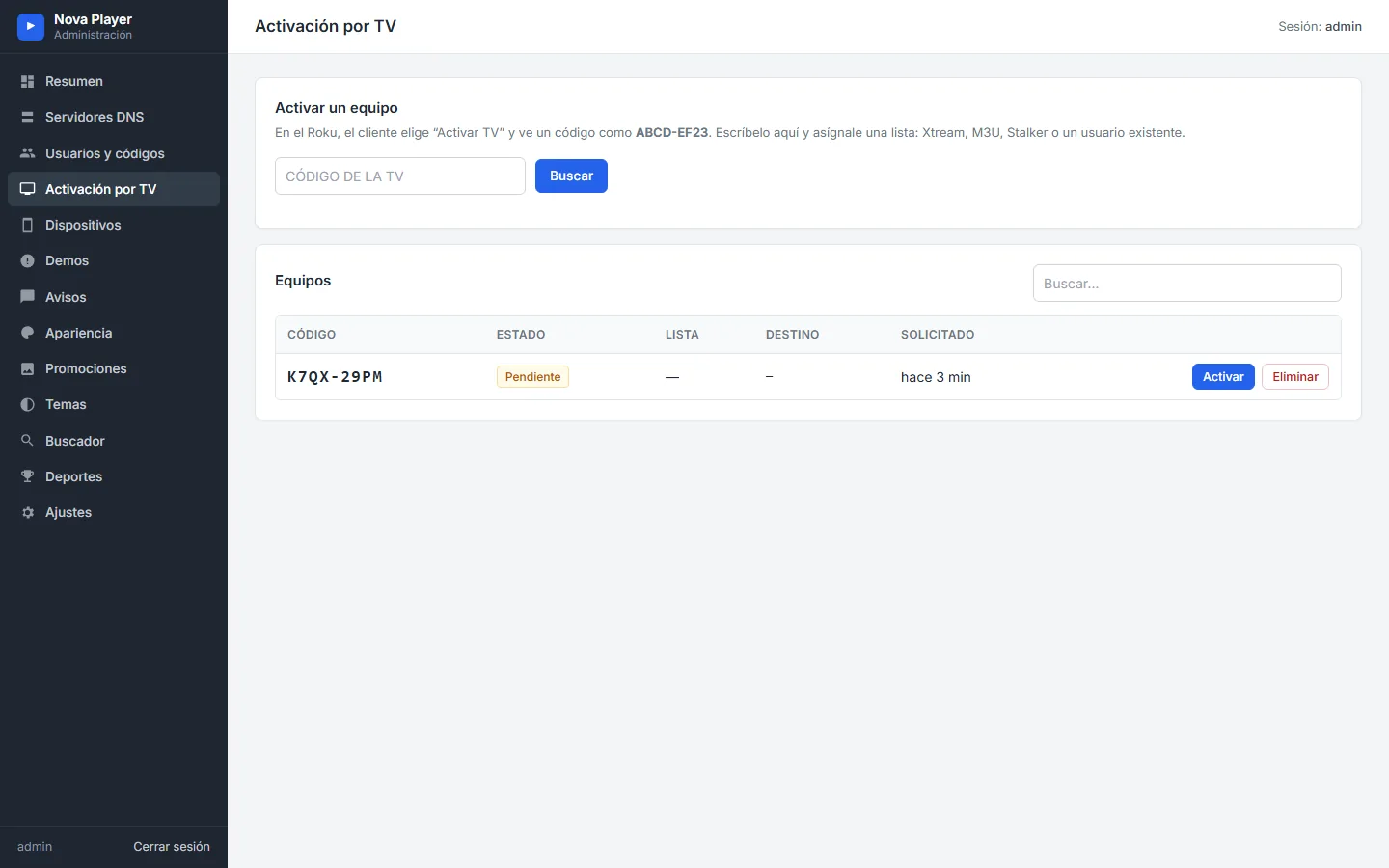
With Activate on TV, the Roku shows a code like YDWS-94C3 and waits. The customer sends you that code, you type it on the Activation on TV page of your panel and assign it an Xtream list, a Stalker portal, an M3U list or an existing user. A few seconds later the channel signs in by itself.
Free trials, one per device
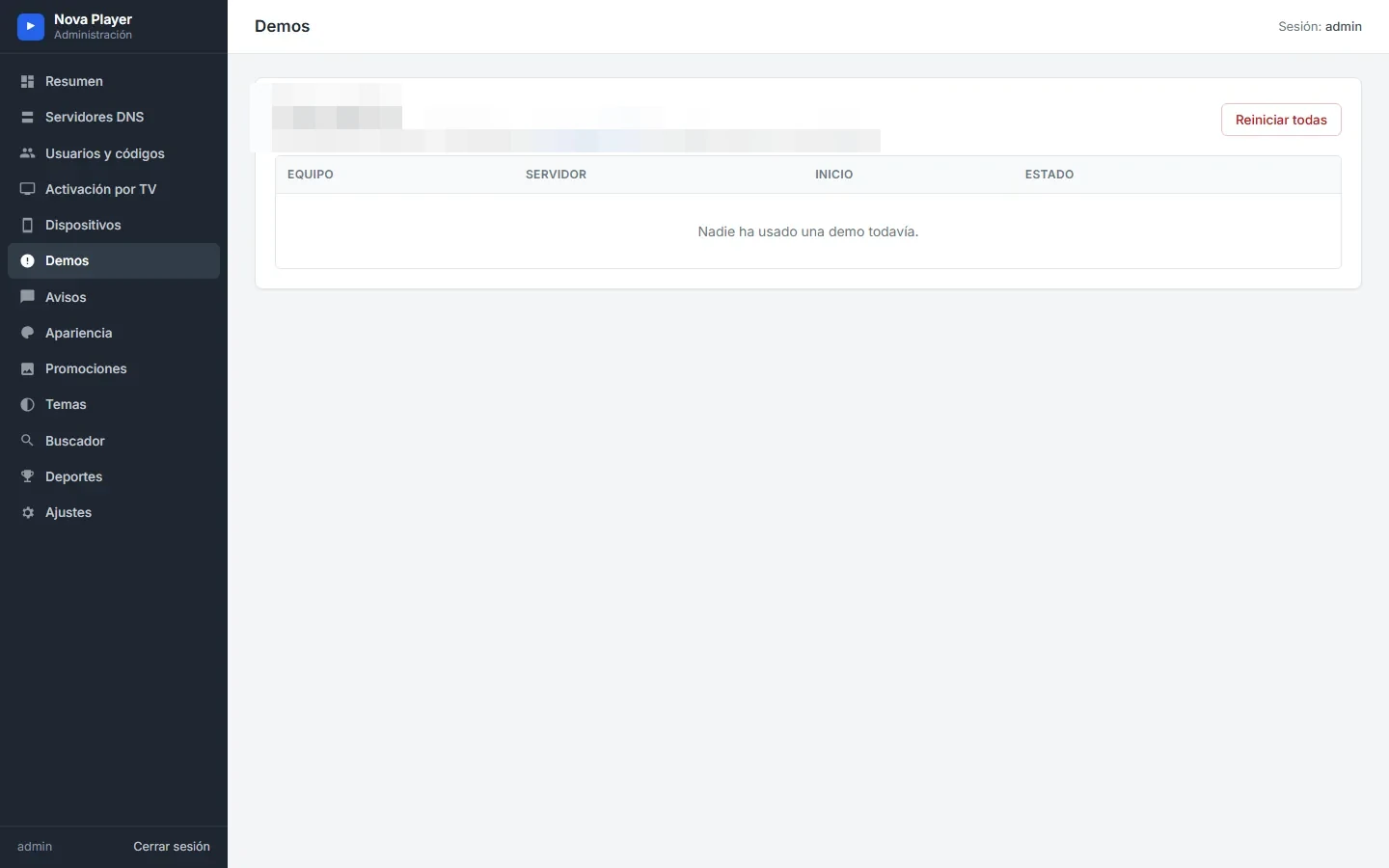
Any server can be offered as a trial with a time limit in minutes. When trials are available, the sign-in screen shows a Try demo button. Each device can use one trial, and the Trials page of your panel shows who used one and lets you reset them.
Profiles and lists assigned from the panel
A Roku can hold several profiles, shown on a “Who’s watching?” screen. From the Devices page of your panel you can also assign lists to a specific device (Xtream Codes, Stalker or M3U) without touching the TV. The channel syncs them when it opens and tells the customer their playlists were updated by the provider. Lists you manage cannot be edited or deleted from the device.
Three languages from the first screen
The sign-in screen already speaks Spanish, English and Portuguese. You set the default language in the panel, and each customer can switch it at any time.
Frequently asked questions
Can one Roku have an Xtream profile and a Stalker profile?
Yes. Each profile keeps its own type and server, and the customer switches between them on the “Who’s watching?” screen.
Which MAC does the Stalker tab use?
The device’s own MAC, shown already filled in on the sign-in screen and in Settings › Support, in the 00:1A:79 format used by Stalker portals.
Do customers type the portal or server address?
No. The channel has no URL fields. Customers pick from the list you load in the panel.
Related guides
- SMARTERS PREMIUM for Roku: the launch overview
- The admin panel behind the channel
- Profiles, parental control and settings
SMARTERS PREMIUM - ROKU (Xtream & Stalker Portal) is available at a $200 launch price (regular $350), a one-time payment with no monthly app fees. It is published on Roku with your brand and comes with your own admin panel. See every video and screenshot on the full page or view it in the catalog.